

Last updated: October 25, 2026
Quick Answer: Bing product feed optimization for Shopping results usually improves fastest when you fix the first 5 to 10 core fields, because Microsoft Merchant Center depends on a small set of high-signal attributes. Bing product feed optimization starts with one goal: make the feed easy for Microsoft Merchant Center to read, trust, and match to a shopper’s query. If the feed is clean, specific, and consistent, Shopping results have a better chance of showing the right product with the right price, image, and availability.
Key takeaways
- Feed quality matters more than clever wording. Bing Shopping needs accurate titles, IDs, prices, stock status, and images.
- Microsoft Merchant Center is the control point. It is where product feeds are uploaded, reviewed, and approved.
- GTIN, SKU, and merchant product identifiers help Bing match products correctly and reduce catalog confusion.
- Titles should describe the product plainly, with the most important detail first.
- Image rules are not decorative. A weak image can hold back a listing even when every other field is correct.
- The biggest mistakes are vague titles, missing identifiers, and mismatched availability between feed and landing page.
- This topic is for feed setup and merchandising fields, not page SEO or technical indexation.
What Bing product feed optimization is trying to fix

Bing product feed optimization is about reducing ambiguity in product data so Microsoft Merchant Center can place items into Shopping results with fewer errors. The feed is not a place for marketing copy. It is a structured inventory file, usually managed through product feeds and merchant feed attributes, where each field gives Bing a signal about what the item is, whether it is in stock, and how it should be shown.
The most common failure is simple: the feed contains enough data for the product to exist, but not enough data for the product to be chosen. A shirt listed as “Men’s Top” with no size, no color, and no GTIN gives Bing little to work with. The same item described as “Men’s Oxford Shirt, Blue, Large, Cotton” is more usable because the title and attributes point to a specific SKU-level offer.
This is also where many generic ecommerce articles go wrong. They drift into page content, schema, or site architecture. Those things matter elsewhere, but this page is about feed fields and merchandising setup. If the feed is the main source of product truth, then the job is to make each attribute precise enough that Bing does not have to guess.
A practical way to think about it: every unclear field creates a second problem downstream. A weak title can lower relevance. A missing identifier can prevent proper matching. A stale availability field can create disapproved offers or poor user trust. The feed has to carry the catalog in a form Bing can parse without extra interpretation.
How do I improve a Bing product feed?
You improve a Bing product feed by tightening the fields Bing relies on most: title, identifier, availability, price, image, and category data. The first 5 to 10 attributes often deliver the clearest gains, because they carry most of the meaning Bing uses in Shopping results.
Follow this process in Microsoft Merchant Center and the source feed that feeds it:
- Audit the current feed export. Check the columns you already send: title, description, link, image link, price, availability, brand, GTIN, MPN, and SKU. The result you want is a clean map of what is missing, duplicated, or inconsistent before you change anything.
- Normalize product titles. Put the core product name first, then the variant detail that separates one offer from another. A useful pattern is Brand + Product Type + Key Variant, such as “Acme Women’s Trail Shoe, Black, 8.” This gives Bing a tighter match than a marketing phrase.
- Fill identifier gaps. Add GTIN where the manufacturer assigns one, keep SKU unique inside your own catalog, and use MPN when the product is manufacturer-specific but not covered by GTIN. The result is better product matching and fewer duplicate product records. For implementation details, see Microsoft Merchant Center help and Google’s GTIN guidance, and consult a qualified professional if your catalog has exceptions.
- Check price and availability against the landing page. If the feed says “in stock” and the item page says “out of stock,” Bing has a conflict. Keep the same currency, the same price, and the same stock state on both sides, or the offer can lose trust.
- Upgrade images to the main offer image. Use a clear primary product image with a plain background when possible. Avoid watermarks, promo text, collage layouts, and tiny product shots. The result is a stronger Shopping presentation and fewer image-related issues.
- Review category and variant fields. Use the most specific category your feed structure allows, and separate size, color, material, and gender into proper attributes instead of hiding them in the title only. That gives Bing more ways to qualify the item correctly.
- Resend and monitor Merchant Center diagnostics. After the feed update, watch for disapprovals, warnings, and items that remain disallowed. A feed fix that looks good in a spreadsheet still needs approval in Microsoft Merchant Center.
The goal is not perfection on day one. It is reducing the number of fields Bing has to infer. That usually produces cleaner Shopping visibility than adding more promotional copy ever will. For a broader strategy around Bing e-commerce search optimization, this page fits as the feed-specific companion rather than the whole plan.
Which product feed attributes matter most in Bing Shopping?
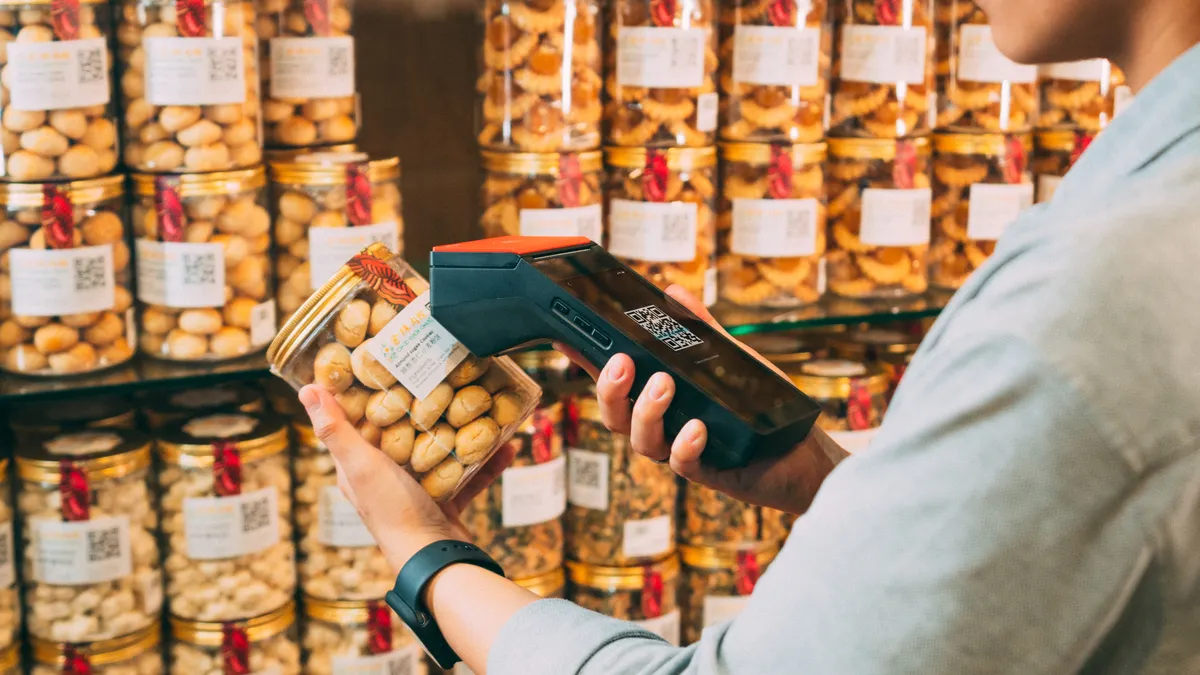
The most important product feed attributes for Bing Shopping are title, GTIN, SKU, availability, price, image link, brand, and product category. Those fields carry the core meaning of the offer, and they are the ones most likely to affect whether Bing can classify the item correctly.
Title is the first field to fix because it influences relevance and click appeal at the same time. A title should read like a human would search for the product, not like a brand deck. “Stainless Steel Water Bottle, 750 ml, Blue” is more useful than “Hydration Essential.” If the feed supports it, include the important variant details in the title and keep the description for supporting facts.
GTIN matters because it helps Bing connect your offer to the product identity used across the market. If a product has a valid GTIN from the manufacturer, include it. If it does not, do not invent one. Use SKU for your own internal item control, but do not treat SKU as a substitute for GTIN. The two solve different problems, and if your catalog is unusual, consult a qualified professional and review Microsoft Merchant Center guidance before making exceptions.
Availability and price are non-negotiable. These fields must reflect what a shopper will actually see after the click. A stale price or wrong stock status can produce a poor user experience and trigger feed issues. Keep a regular sync interval if your catalog changes often; for fast-moving inventory, daily is usually not enough if stock turns multiple times a day.
Image link is another field that gets underestimated. A thumbnail may still qualify technically, but a dark, cluttered, or cropped image will often underperform. Use a clean product image at a sensible resolution and make sure the main subject fills the frame well.
Brand, condition, color, size, gender, age group, and material matter when the catalog includes variations. They help Bing split similar products into the right offer. If one shirt comes in four colors and three sizes, the feed should make those differences visible instead of burying them in a free-text description.
| Field | What it does | Practical rule | Typical issue if wrong |
|---|---|---|---|
| Title | Helps Bing identify the offer | Keep product type first | Weak relevance |
| GTIN | Matches market identity | Use the manufacturer code | Duplicate or misread items |
| SKU | Tracks internal inventory | Keep it unique per item | Catalog confusion |
| Price | Shows the offer value | Match landing page exactly | Trust loss |
| Availability | Shows stock state | Sync often for fast inventory | Disapproval risk |
| Image link | Represents the product visually | Use a clear primary image | Lower click performance |
Product titles that help Bing understand the offer fast
Product titles help Bing because they are the shortest path from a search term to a specific item. A good title tells Bing what the product is, who it is for if relevant, and which variant is being sold. A weak title forces the system to infer all of that from the rest of the feed.
The better titles are plain, specific, and stable. They do not try to sell. They identify. That means no “best,” no “premium,” and no phrase that only makes sense to an ad copywriter. Put the product type early, because that is usually the part shoppers search first. Then add the differentiator that matters most: size, color, capacity, compatibility, or model.
For example, “Dell XPS 13 Laptop, 16 GB RAM, 512 GB SSD, Silver” is more useful than “Ultra Thin Powerhouse.” The second title tells a shopper nothing concrete, and it gives Bing no clear product structure. The first one includes the model and the key specs that distinguish one listing from another.
There is a trade-off here. Very long titles can become noisy, especially when every possible detail is packed into one line. A 120-character title that reads well is better than a 220-character title that lists every feature in a row. The aim is clarity, not maximum length.
One mistake to avoid is repeating the same term three times. That happens when sellers add brand, product type, and category words that all say nearly the same thing. The result looks padded and can reduce readability. Another mistake is stuffing promotional language into the title. A title should survive a skim in 2 seconds and still tell the truth.
GTIN, SKU, and identity matching: the part many feeds miss
GTIN, SKU, and MPN work together, but they do not mean the same thing, and Bing uses them differently. GTIN is the external product identifier when one exists. SKU is your internal inventory identifier. MPN is the manufacturer’s part number when it applies. A feed that treats them as interchangeable usually creates matching problems.
If the product has a real GTIN, include it exactly as assigned. Do not add spaces, extra punctuation, or shortened versions. A valid GTIN helps Bing connect your offer to the right item family, especially when multiple sellers list the same product. If you sell private-label products with no GTIN, keep the SKU consistent and make the brand and MPN fields as accurate as possible.
The main risk of missing identifiers is duplication. Bing may have trouble recognizing that two listings are the same product in different stores or channels. That can split visibility, weaken product grouping, or make the catalog harder to manage. Missing IDs can also make troubleshooting harder, because one offer may look fine in isolation while the broader product record stays fragmented.
There is a second trade-off: do not force identifiers where they do not belong. A made-up GTIN is worse than an empty GTIN. It creates false certainty, and that can be harder to clean up later than a missing field. If the product truly has no GTIN, use the fields that do apply and leave the rest blank rather than inventing structure.
A solid rule is simple: let the source of truth decide the identifier. Manufacturer packaging decides GTIN. Your catalog decides SKU. The part number decides MPN when the product line uses one. Bing is better at reading a precise absence than a fake answer.
Image requirements that make Shopping listings usable
Image requirements matter because Shopping results are visual first and textual second. The image is often the first thing a shopper notices, and Bing needs a clean primary image to represent the product well. A feed can contain the right title and identifiers and still underperform if the image is dark, crowded, or misleading.
Use a direct product photo that shows the item clearly. White or plain backgrounds usually help, but the deeper rule is simpler: the product should be the clear subject. Avoid promotional badges, price overlays, heavy text, watermarks, and composite layouts. If the image looks like an ad creative instead of a product photo, it usually works against the feed.
The image should also match the item exactly. If the feed is for a black size 10 shoe, the image should not show a red shoe or a different variant. Variant mismatches create trust problems fast. The same applies to bundles. If the feed says one item and the image shows three, shoppers notice the gap immediately.
File quality matters too. Blurry images, compressed thumbnails, and awkward crops weaken the listing. A larger, cleanly framed image gives the system more to work with and gives shoppers a better preview. If the product is small, zoomed-out, or visually complex, a second angle can help in supporting fields, but the main image still needs to be obvious.
One thing a generic guide often misses: image rules are not only about compliance. They are also about classification confidence. A clear image can support a strong offer; a confusing image can muddy an otherwise good feed. This is one of the few feed elements where a visual decision can change the technical outcome.
Common Bing feed mistakes that cost visibility
The most costly Bing feed mistakes are inconsistent data, weak product identity, and variant confusion. Those problems do not always trigger a dramatic error message, but they can quietly reduce how well the product can appear in Shopping results.
The first mistake is title inflation. A title loaded with adjectives and campaign language can hide the actual product type. That costs relevance and makes the listing harder to match. The fix is to cut the marketing language and keep the core product terms at the front.
The second mistake is letting the feed and landing page disagree. If the feed says $49.99 and the product page says $54.99, or the feed says in stock and the page says unavailable, Bing has conflicting signals. The cost is bad user experience and possible disapproval. The fix is a tighter sync between catalog, feed export, and site inventory.
The third mistake is shipping a generic image for a specific variant. A feed for a navy jacket should not use the red jacket photo just because the red version was the first one in the folder. That kind of mismatch can lower trust before the click even happens.
The fourth mistake is treating SKU like a substitute for real product identity. SKU is useful internally, but it does not replace GTIN where GTIN exists. If the feed lacks the right identifier structure, Bing has to work harder to match the product correctly.
The fifth mistake is updating the catalog irregularly. A feed refreshed once a week can be too slow for fast-moving inventory. If prices or stock change often, the feed should change often too. Otherwise, the listing becomes stale even if the product page itself is correct.
What to check in Microsoft Merchant Center before you stop
Microsoft Merchant Center should show a feed that is approved, readable, and internally consistent before you treat the setup as finished. The last pass is not about style; it is about the few fields that usually break product visibility.
Since diagnostics often expose the real problem, start there. Look for disapprovals tied to missing identifiers, image problems, price conflicts, or unsupported attributes. Then check whether the errors are isolated to a few items or spread across the catalog. A single bad SKU is a product issue. A wider pattern usually points to a feed rule or export problem.
Microsoft’s own product feed documentation explains how item attributes are validated, and the Merchant Center diagnostics view is designed to surface the exact feed errors that matter most. Google’s merchant feed documentation is also useful as a cross-check for identifiers, titles, and image expectations because the underlying commerce fields are similar. For policy-sensitive cases, review the platform guidance directly rather than guessing.
Once the errors are clear, fix the source feed first, not just the uploaded file. If a spreadsheet patch is not reflected in the export logic, the same issue returns on the next upload. Then rerun the feed and compare the before-and-after diagnostics. The goal is not simply to remove errors; it is to keep them from coming back in the next cycle.
A healthy Microsoft Merchant Center setup usually has three things in common: the feed fields are consistent, the product identity is specific, and the price and availability data are synchronized. When those three align, Bing has a cleaner path to showing the offer in Shopping results.
Drafted with AI; not yet reviewed by a person.